The Realtor’s Tech Stack: CRM, IDX, Automation and AI
A complete, price-checked guide to the software real estate agents use—from CRM and IDX to social DMs, e-signature, notetakers, scheduling, project management, APIs, and the stack Homies can consolidate.
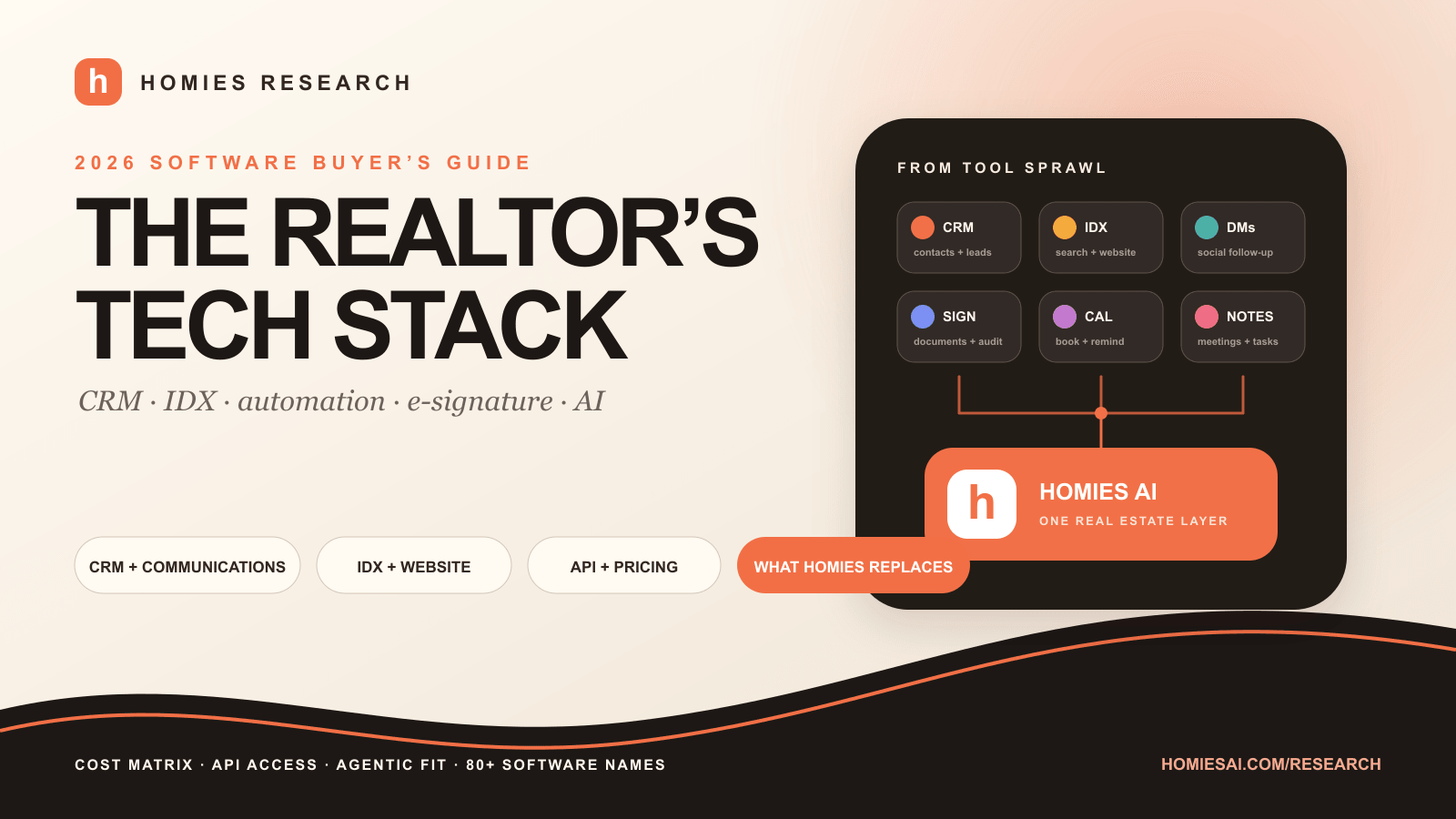
CRM winner for agentic use
GoHighLevel for its combined workflow and API surface
Typical self-purchased stack
$350–$1,500+/month before ads, MLS and telecom
Homies launch plan
$50/month for a vertical real estate operating layer
The stack consolidation opportunity
Ten tabs, ten logins, ten bills—or one real estate operating layer
Average realtor tech stack without Homies AI
8–12 separate subscriptions
$350–$1,500+/mo
before ads, MLS and telecom
Follow Up Boss
CRM
AgentFire
IDX website
ManyChat
Social DMs
DocuSign
E-signature
Calendly
Scheduling
Fyxer AI
Email assistant
Fireflies.ai
Meeting notes
Trello
Projects
Zapier
Automation
Canva
Content
Average realtor tech stack with Homies AI
One specialist control layer
$50/mo
current launch plan

Homies AI
Real estate operating layer
“Replace” means consolidate the subscription or operating workflow where the Homies deployment includes it. Brokerage-mandated transaction systems, approved e-signature rails, MLS/IDX vendors, lockboxes, phone carriers, and paid media may remain connected under the hood.
Illustrative basket, not a universal market average. Actual cost depends on brokerage-provided tools, user count, contacts, phone/SMS and AI usage, MLS pass-through fees, setup, add-ons, contracts, and advertising. Public prices checked August 14, 2026.
The quick answer
A realtor tech stack should move one client record from first click to closed transaction
A realtor tech stack is the connected set of software that helps an agent generate demand, capture a lead, remember the relationship, communicate, book an appointment, search and present property data, prepare documents, coordinate a transaction, market the result, and measure what worked.
The stack fails when every tool owns a different version of the client. A website knows which listings Jane viewed. The CRM has “Jane – buyer.” The inbox contains her financing question. The notetaker captured her school requirements. The transaction room has the offer. The calendar has a showing—but no system connects the story. The agent becomes the integration.
The goal is therefore not to buy the most software. It is to create one governed flow in which identity, consent, source, stage, communication history, property activity, documents, appointments, and next actions stay coherent. Every extra app should either improve that flow or disappear.
CRM
Contacts, leads, conversations, pipeline, tasks, database and reporting.
IDX website
Compliant listing display, search, registration, alerts, content and lead capture.
Communications
Business email, phone, text, social DMs, inbox and conversation history.
Automation
Triggers, routing, sequences, updates, handoffs, monitoring and exception recovery.
Transactions
Forms, documents, signatures, checklists, deadlines, audit and broker review.
Scheduling
Appointments, showings, reminders, routing, round robin and time protection.
Meeting intelligence
Transcripts, summaries, action items, CRM notes and searchable client context.
Content and AI
Listing copy, design, video, research, reporting and specialist delegated work.
Homies Research disclosure
Homies publishes this guide and is one of the products discussed. We link the first-party prices and API documentation, label editorial conclusions, and distinguish a workflow replacement from a legally or contractually required system. The tables are a procurement starting point—not an independent certification or guarantee of savings.
ManyChat for realtors
ManyChat turns real estate comments and DMs into trackable CRM conversations
ManyChat is useful when a realtor consistently publishes content on Instagram, Facebook, TikTok, WhatsApp, Telegram, or Messenger. A person comments “GUIDE,” receives the buyer guide in a DM, answers qualification questions, provides consent and contact information, then enters the CRM with the original post, answers, and conversation attached.
The new public pricing starts at $14 per month for Essential, $29 for Pro, $69 for Business, and $139 for Advanced on annual billing, with active-contact limits and overage pricing. Pro adds AI-powered conversations and more channels. API and external-request availability can depend on plan and account generation, so verify the exact subscription before designing a workflow.
Comment-to-DM
Offer a listing sheet, neighbourhood guide, market report, home valuation or open-house registration without sending people to a generic bio link.
Qualification
Ask location, property type, timeline, financing, selling status and preferred appointment before routing the lead.
CRM handoff
Create or update one contact, attach source and consent, assign the correct pipeline and trigger human follow-up.
Policy boundary
Respect channel windows, consent, unsubscribe requests, fair-housing policy, brokerage rules and escalation for sensitive questions.
If social DMs are a major lead source, ManyChat is a justified specialist. If they are occasional, HighLevel conversations or a Homies-managed workflow may consolidate the same lead capture and follow-up without another contact-priced system. Never let an AI improvise legal advice, steering, discriminatory targeting, material property facts, or a representation commitment inside a DM.
Real estate CRM automation
Zapier vs Make vs n8n vs HighLevel: choose the automation layer your team can maintain
CRM automation moves data and work when an event occurs: a new portal lead creates a contact; an open-house form applies a source tag; a showing request creates a task; a signed agreement advances a stage; a stale lead enters a nurture sequence; a closed transaction schedules review, referral, anniversary, and home-value follow-up.
Zapier is usually the fastest to launch. Make gives better visual control over branches and data transformation. n8n gives technical teams more control and a self-hosting path. HighLevel keeps automation closest to its CRM. Homies adds the vertical decision layer: what a realtor task means, which specialist should handle it, which systems are authoritative, and where human approval belongs.
| Platform | Best for | Public starting price | What it does | API / AI connectivity | Homies Research take |
|---|---|---|---|---|---|
| ManyChat | Instagram, Facebook, TikTok and WhatsApp conversations | $0; $14 Essential; $29 Pro; $69 Business, annual starts | Comment-to-DM, keyword flows, AI replies, broadcasts, lead capture, tags and team inbox | API and external requests are plan/account dependent; integrations include Zapier and Make | Best social-DM specialist for active content marketers |
| Zapier | Fastest no-code app coverage | $0; Professional from $19.99; Team from $69, annual | Multi-step workflows, filters, webhooks, forms, tables, MCP and 9,000+ app actions | Webhooks, MCP and SDK; task-based usage | Easiest glue; costs grow with task volume |
| Make | Visual multi-branch automations | $0; $12 Core; $21 Pro; $38 Teams at 10k credits | Scenarios, routers, filters, webhooks, data transforms, 3,000+ apps and AI modules | Make API from Core; 300+ platform endpoints and custom apps | More flexible than Zapier; steeper debugging curve |
| n8n | Technical teams and self-hosted control | €20 Starter; €50 Pro, annual; Community Edition self-hosted | Unlimited-step workflows, code, AI nodes, webhooks, credentials and self-hosting | Extensible and self-hostable; operational ownership required | Best control-to-cost ratio for technical owners |
| HighLevel Workflows | CRM-native lead nurture and appointment automation | Included in HighLevel plans; email/SMS/phone/AI usage extra | Triggers, branches, campaigns, pipeline actions, calendars, conversations and reputation requests | API and webhooks depend on $297/$497 plan level | Best when HighLevel is already the source of truth |
| Homies AI | Real-estate-specific multi-step delegation | $50 current launch plan | Specialist CRM, listing, CMA, offers, content, research, reports, follow-up and scheduling workflows | Governed integrations and LAIRE capability boundary | Best vertical control layer; deployment scope determines replacements |
Every production workflow needs an owner, monitoring, duplicate protection, retry behavior, error alerts, test contacts, change logs, credential rotation, and a manual recovery path. If no one knows who fixes the automation when a field name changes, it is not automation—it is deferred failure.
DocuSign and signing platforms
E-signature software is not the same thing as real estate transaction management
E-signature software prepares signature fields, routes recipients, authenticates signers, sends reminders, records events, and preserves an audit trail. Real estate transaction management adds association forms, property and party data, checklists, deadlines, version control, broker review, compliance storage, commissions, and sometimes accounting or back-office reporting.
That is why DocuSign vs dotloop is not a pure signature comparison. DocuSign is a general agreement layer with a large ecosystem. dotloop is a vertical transaction workspace. Lone Wolf Transactions, Authentisign, zipForm, SkySlope, Brokermint, Form Simplicity, DocuSign Rooms, Adobe Acrobat Sign, Dropbox Sign, PandaDoc, and SignNow occupy different parts of this spectrum.
| Platform | Best for | Public starting price | What it does | API / AI connectivity | Homies Research take |
|---|---|---|---|---|---|
| DocuSign | Broadly recognized e-signature | $11 Personal; $30 Standard/user, annual | Templates, envelopes, audit trails, reminders, branding, collaboration and agreement workflows | Production API from $50/month for 40 envelopes; demo developer account free | Excellent signing layer; API economics differ from web-app plans |
| dotloop | Real estate forms + transaction rooms + e-sign | $31.99/month or $314/year for Premium; teams/brokers custom | Forms, PDF editor, e-signature, task templates, loops, audit trail, storage and compliance | Public OAuth v2 API and webhooks | Best single-agent transaction bundle where approved |
| Adobe Acrobat / Acrobat Sign | PDF-heavy workflows and enterprise agreement controls | $16.99 Standard or $23.99 Pro/team licence, annual; Sign Solutions custom | PDF editing, conversion, forms, signature collection, bulk send and enterprise e-sign | Acrobat Sign API for qualifying enterprise solutions | Strong documents; confirm compliance features by product, not brand |
| Dropbox Sign | Simple unlimited signature requests | $15 Essentials; $25 Standard/user monthly; annual discounts | Templates, audit trails, branding, signer tools, reporting and common app integrations | Separate API plans/pricing | Clean general e-signature alternative |
| Lone Wolf Transactions / Authentisign / zipForm | Association and brokerage-standard real estate forms | Custom, association or brokerage-provided | Forms, transaction management, e-signature, brokerage review and compliance records | Partner/governed access; confirm entitlements | Use when mandated or bundled; connectivity may be less open |
| SkySlope | Brokerage transaction management and compliance | Custom quote / brokerage-provided | Transaction files, forms, digital signatures, checklists, audit and brokerage review | Partner/governed access | Brokerage system of record, not a general PM tool |
The most important buying question is often not “Which is cheapest?” It is “Which system does my brokerage, association, regulator, lawyer, or counterparty approve—and where does the authoritative executed file live?” Homies can prepare, route, monitor, summarize, and update the CRM around a transaction, while the approved signature or transaction rail remains the system of record.
AI notetakers for realtors
The best AI notetaker is the one that writes structured client context back to the CRM
An AI notetaker should capture a buyer consultation, listing presentation, team meeting, lender call, or vendor conversation; separate speakers; produce a reliable summary; extract requirements, objections, decisions, deadlines, and next actions; and place the useful structured information in the correct CRM record.
If the transcript stays in a separate meeting app, the tool has saved typing but created another silo. The better workflow writes an approved summary, timeline, target area, budget, financing status, property constraints, next appointment, and tasks into the source of truth—without storing more sensitive information than needed.
| Platform | Best for | Public starting price | What it does | API / AI connectivity | Homies Research take |
|---|---|---|---|---|---|
| Fathom | Best free starting point and CRM-ready summaries | $0; $15 Premium; $19 Team; $29 Team Pro | Unlimited recordings/transcription, summaries, clips, action items and team sharing | Public API with user-level keys and OAuth apps; 60 calls/minute | Strong price and open connectivity |
| Fireflies.ai | Meeting search, analytics and broad integrations | $0; $10 Pro; $19 Business; $39 Enterprise, annual | Transcription, summaries, AskFred, tasks, topic trackers, analytics and integrations | API access listed even on Free; rate limits vary | Best general meeting-intelligence breadth at low cost |
| Granola | Bot-free notes and connected personal context | $0 Basic; $14 Business; $35 Enterprise | Device-based notes, chat, templates, shared folders, CRM/Zapier integrations and MCP | API access is plan/admin dependent; MCP on Business | Excellent client-call experience; verify consent and API tier |
| Otter.ai | Transcription, search and team meeting memory | Free; paid plans vary by monthly/annual billing | Transcripts, summaries, action items, channels, search and workspace administration | Public API is Enterprise-only | Mature transcription; API access is a major procurement check |
| Read AI | Meeting analytics plus cross-work search | $0; $15 Pro; $22.50 Enterprise; $29.75 Enterprise+, annual | Transcripts, summaries, coaching, search, playback, highlights and premium integrations | Premium integrations and webhooks on paid plans | Good analytics; enterprise controls require higher tiers |
| Fyxer AI | Inbox assistant plus meeting notetaker | $22.50 Starter; $37.50 Professional, annual | Inbox organization, reply drafts, meeting notes, scheduling, chat and HubSpot integration | HubSpot integration on Professional; no broad public API positioned | Useful consolidation when email is the main pain point |
Planning and legal notice
Recording and transcription laws vary by jurisdiction, and brokerage policy or client expectations may be stricter than the legal minimum. Obtain appropriate consent, disclose automation clearly, limit retention, avoid unnecessary sensitive data, and review any CRM write before it affects representation, advice, offers, financing, access, or another consequential action.
Calendly and Fyxer for realtors
Scheduling and email AI should reduce coordination—not create another inbox
Calendly solves external scheduling well: share availability, collect qualifying answers, send reminders, route meetings, take payments, and trigger CRM updates. HighLevel calendars can cover much of the same job inside the CRM. Reclaim and Motion focus more on time blocking and daily planning. Acuity Scheduling, SavvyCal, Chili Piper, Cal.com, Google Appointment Schedules, and Microsoft Bookings are other frequent searches.
Fyxer AI combines inbox organization, drafted replies, scheduling, meeting notes, and inbox chat. That can replace a separate email assistant plus a notetaker for some agents. The tradeoff is another system reading business communications and storing context, so permissions, retention, training use, CRM handoff, and offboarding need the same care as a CRM integration.
| Platform | Best for | Public starting price | What it does | API / AI connectivity | Homies Research take |
|---|---|---|---|---|---|
| Calendly | Simple external booking and routing | $0; $10 Standard; $16 Teams, annual | Booking pages, reminders, qualification, routing, round robin, payments and CRM handoff | GET/POST API on all plans; webhooks and Scheduling API require paid plan | Default scheduling choice for most agents |
| HighLevel Calendars | CRM-native appointments and nurture | Included from $97/month | Personal/team calendars, booking pages, reminders, forms, workflows and pipeline updates | Plan-dependent API and webhooks | Often removes the need for a separate Calendly plan |
| Fyxer AI | Inbox triage, drafted replies and cross-team scheduling | $22.50 Starter; $37.50 Professional, annual | Email organization, voice-matched drafts, meeting notes, scheduling and inbox Q&A | HubSpot integration at Professional; confirm other workflow access | Saves inbox time, but adds another knowledge store |
| Reclaim AI | Time blocking and calendar optimization | $0 Lite; $12 Starter/seat monthly | Focus time, habits, buffers, smart meetings, scheduling links and task integrations | Webhooks on qualifying plans; PM integrations on paid tiers | Better for defending time than lead scheduling alone |
| Google Workspace / Microsoft 365 | Core business email, calendar and documents | Plan, region and commitment dependent | Business email, calendar, cloud storage, documents, video meetings, identity and admin | Google Workspace APIs and Microsoft Graph | The foundation almost every other tool should integrate with |
A good scheduling workflow updates the CRM, preserves source and consent, applies the correct appointment type, handles time zones, sends the right preparation material, and creates a human task if the lead cancels or fails to attend. A booking link alone is not a follow-up system.
Project management for real estate
Trello is enough for many agents; Jira is usually not
Realtors manage repeatable projects: listing launches, open houses, buyer searches, offer preparation, closings, client events, newsletters, social campaigns, recruiting, onboarding, and vendor coordination. A general PM tool makes ownership, dates, dependencies, templates, and exceptions visible. It should not duplicate the CRM or become the legal transaction record.
Trello for realtors is simple and visual. ClickUp and Asana add forms, dashboards, dependencies, workload, docs, and deeper automation. Notion blends knowledge and lightweight project tracking. monday.com is popular for configurable team operations. Jira is excellent for formal issue workflows and technical teams, but its concepts and administration are usually too thick for a solo agent. dotloop is better for the transaction file, not the content calendar.
| Platform | Best for | Public starting price | What it does | API / AI connectivity | Homies Research take |
|---|---|---|---|---|---|
| Trello | Simple listing, content and operations boards | $0; $5 Standard; $10 Premium/user, annual | Boards, cards, checklists, due dates, automations, calendar/timeline views and templates | Public REST API, Power-Ups and webhooks | Best simple visual PM choice for solo agents |
| ClickUp | Teams wanting tasks, docs, goals and dashboards together | Free; paid tiers and AI add-ons vary | Tasks, docs, forms, dashboards, automations, time tracking, goals and chat | Public API on all plans; some endpoints plan-limited | Powerful all-in-one, but easy to overconfigure |
| Asana | Repeatable team workflows and campaign coordination | Free Personal; Advanced $24.99/user annual; other tiers vary | Tasks, projects, forms, rules, portfolios, goals, approvals and workload | Public developer API and webhooks | Strong operations layer for growing teams |
| Jira | Formal brokerage ops, technical work and dependency-heavy projects | Free up to 10; Standard/Premium via live user calculator | Issues, customizable workflows, dependencies, backlogs, automation, reporting and permissions | Extensive Jira Cloud REST API and webhooks | Usually too much process for a solo realtor |
| Notion | Wiki, SOPs, lightweight databases and content calendars | Free; paid plans vary by seat and AI usage | Docs, databases, tasks, knowledge, forms, sites, templates and AI | Public API, webhooks and broad automation support | Best knowledge layer; not a transaction compliance system |
| dotloop | Property transactions rather than general projects | $31.99/month or $314/year for individual Premium | Deal rooms, documents, signatures, task templates, activity logs and broker review | Public OAuth v2 API and webhooks | Use for deals; pair with lighter PM for marketing and operations |
The simplest architecture is: CRM owns the relationship and sales stage; transaction software owns the deal file and approvals; project management owns cross-functional operational work; the AI layer reads or acts through scoped integrations and returns receipts to the authoritative system.
The rest of the realtor software stack
Phone, lead generation, CMA, showings, content, accounting and analytics complete the stack
The categories above are the core, but working agents may also pay for a business phone, dialer, lead source, CMA or presentation software, showing management, lockbox access, cloud storage, design, video, social scheduling, email marketing, reviews, accounting, expense capture, password management, analytics, and data enrichment.
Phone, text and email
Google Workspace, Microsoft 365, OpenPhone, Dialpad, Aircall, RingCentral, Twilio, JustCall, CallAction, Mojo Dialer, REDX and Vulcan7.
Lead sources and databases
Zillow Premier Agent, Realtor.com ReadyConnect, Homes.com, Ylopo, BoomTown, CINC, REDX, Vulcan7, Landvoice, Cole Realty Resource, PropStream, Remine and Homebot.
CMA and presentations
RPR, Cloud CMA, MoxiPresent, RealScout, Homebot, Canva, Beautiful.ai, Gamma, Google Slides, PowerPoint and brokerage MLS tools.
Showings and access
ShowingTime, BrokerBay, Calendly, Supra, SentriLock, Touchbase, Aligned Showings and brokerage or board-approved booking systems.
Content and marketing
Canva, Adobe Express, CapCut, Descript, Riverside, BombBomb, Loom, Buffer, Hootsuite, Later, Metricool, Mailchimp, Constant Contact and ActiveCampaign.
Finance and back office
QuickBooks, Xero, FreshBooks, Wave, Gusto, Expensify, Dext, Brokermint, Lone Wolf Back Office and brokerage commission systems.
Analytics and attribution
Google Analytics, Search Console, Looker Studio, CallRail, Meta Ads Manager, Google Ads, CRM source reporting and custom data warehouses.
Security and identity
1Password, Bitwarden, Okta, Google or Microsoft identity, device management, audit logs, least-privilege access and documented offboarding.
Naming every tool is useful for discovery; buying every tool is not. Consolidate when two products own the same contacts, tasks, conversations, appointments, templates, or reports. Keep a specialist when it has a unique regulated entitlement, approved data feed, network effect, brokerage requirement, or measurable performance advantage.
Cost and total ownership
How much does a realtor tech stack cost in 2026?
There is no defensible single “average” because many agents receive a CRM, website, transaction platform, Microsoft 365, Google Workspace, or lead tools from a brokerage. Others pay for everything independently. Team size, contacts, phone minutes, texts, AI usage, MLS feeds, paid leads, onboarding, advertising, and contract length can change the monthly total by thousands of dollars.
For planning, a self-purchased solo-agent stack commonly lands around $350 to $1,500+ per month before advertising, MLS dues, telecom usage, and implementation. The low end uses a lean CRM, modular IDX, free notetaker, inexpensive scheduling, and light automation. The high end includes a premium IDX/lead platform, calling and texting, AI nurture, paid automation volume, managed content, or multiple user seats.
| Category | Lean example | Growth example | Common hidden cost |
|---|---|---|---|
| CRM + communications | $49–$97 | $297–$499+ | Seats, calling, SMS, email and AI usage |
| IDX website | $39–$165 | $399–$1,500+ | Setup, MLS pass-through, extra boards, SEO and ads |
| Automation + social DMs | $12–$34 | $69–$200+ | Tasks, credits, active contacts and channel messages |
| E-signature + transactions | $11–$32 | $50–$300+ | API envelopes, forms, broker review and team licences |
| Notes + scheduling + email AI | $0–$33 | $50–$150+ | Per-seat billing, history, integrations and usage |
| Projects + content | $0–$20 | $50–$200+ | Seats, storage, AI credits, designers and video tools |
A low sticker price can still create a high total cost when the agent must copy data, repair duplicates, write every automation, monitor failures, or reconcile inconsistent records. The fair comparison is software + setup + integration + usage + human operating time + switching cost.
CRM for realtors
What is the best CRM for realtors? Compare cost, function and API access
A real estate CRM should do more than store names. At minimum, it should capture source, assign ownership, prevent duplicates, track consent, log calls/texts/emails, manage buyer and seller stages, create tasks, trigger nurture, surface stale opportunities, support teams, export data, and connect to the website, calendar, phone, transaction system, and reporting layer.
Popular searches include GoHighLevel vs Follow Up Boss, HubSpot for realtors, Pipedrive for real estate, and comparisons among Lofty, BoldTrail/kvCORE, CINC, Real Geeks, Wise Agent, Top Producer, Salesforce, Zoho CRM, IXACT Contact, Realvolve, Propertybase, BoomTown, Brivity, LionDesk, Market Leader, Sierra Interactive, and brokerage-provided systems. The right answer depends on whether you want a ready-made vertical workflow, an open agentic foundation, a lead-generation bundle, or a simple database your team will actually use.
| Platform | Best for | Public starting price | What it does | API / AI connectivity | Homies Research take |
|---|---|---|---|---|---|
| GoHighLevel / HighLevel | Agentic all-in-one foundation | $97 Starter; $297 Unlimited; $497 Agency Pro | CRM, conversations, phone, calendars, forms, funnels, workflows, payments, reputation and websites | Basic API at $297; advanced API at $497; webhooks | Our #1 CRM base for broad AI action coverage |
| Follow Up Boss | Real-estate lead routing and team adoption | $69/user Grow; $499 Pro for 10; $1,000 Platform for 30 | Lead inbox, calling, texting, email, action plans, team distribution, reporting and 250+ integrations | Documented API-key access and HTTPS webhooks | Strong system of record; less stack consolidation |
| HubSpot | Inbound marketing and scalable RevOps | Free for 2 users; Starter public offer from $7/seat ($20 regular) | CRM, forms, email, content, sales, service, meetings, reporting and marketing automation | Public REST APIs, private apps, OAuth and webhooks; features vary by tier | Excellent API surface; requires real-estate customization |
| Pipedrive | Simple visual pipeline with open connectivity | $14 Lite; $39 Growth; $59 Premium; $79 Ultimate, annual | Deals, contacts, email sync, sequences, automation, lead routing, documents and e-signature on higher tiers | Public OAuth/API token, webhooks and purchasable API top-ups | One of the best generic CRMs for a custom AI build |
| Salesforce | Large teams and deeply custom brokerage operations | $0 Free; $25 Starter; $100 Pro; $175 Enterprise; annual | Highly configurable CRM, objects, flows, forecasting, analytics, service and Agentforce options | Web Services API is plan-dependent; add-on shown on Pro, included higher | Powerful but expensive and implementation-heavy |
| Zoho CRM | Value-conscious custom operations | Free for 3; $14 Standard; $23 Professional; $40 Enterprise, annual | CRM, workflows, cadences, custom functions, analytics, journeys and AI features | Public APIs and webhooks; limits and features vary by edition | Strong value; more configuration than vertical CRMs |
| Wise Agent | Affordable solo and small-team real estate CRM | $49/month; $42 annual equivalent; up to 5 shared team members | Contacts, lead automation, communications, transactions, landing pages, drip campaigns and content | Integration ecosystem; confirm direct API requirements with vendor | Good value; not our first choice for a custom agentic layer |
| Top Producer | MLS-connected farming and market reports | $179/user Pro; $399 for 5 users; leads/farming from $479/$599 | CRM, MLS insights, market reports, lead response, workflows, texting and transactions | Integrations available; no broad self-serve developer API positioned publicly | Vertical depth, but expensive for open agentic experimentation |
| Lofty (formerly Chime) | AI CRM + IDX + lead generation in one vendor | Custom quote | AI CRM, IDX websites, lead generation, dialer, Smart Plans, social and transaction management | Documented customer API and integration marketplace | Broad vertical suite; confirm data access and contract scope |
| Real Geeks | IDX website + CRM + managed lead generation | $399/month + $500 setup; 2 users; AI Text $49 standalone | IDX website, lead capture, CRM, workflows, e-blasts, market reports and ad packages | Zapier and partner integrations; no broad public developer API positioned | Convenient bundle; less open than API-first generic CRMs |
| BoldTrail / kvCORE | Brokerage-provided website, CRM and lead ecosystem | Custom / brokerage contract | IDX websites, CRM, lead routing, marketing automation, dialer and brokerage reporting | Partner or enterprise-governed access; no broad public self-serve API | Useful when brokerage-provided; harder for independent agentic builds |
| CINC | Teams buying lead generation, IDX and CRM together | Custom quote | IDX website, CRM, lead routing, advertising, nurture and team accountability | Partner/governed integrations; confirm scope before purchase | Lead-gen suite first; not an open developer platform |
Prices are USD public starts unless stated; annual commitments, introductory offers, add-ons, taxes, phone/SMS/email/AI usage, setup, contacts, and additional users may apply. “API” does not mean every field or action is available on every plan. Confirm rate limits, scopes, webhooks, export rights, sandboxes, and production terms before migration.
Agentic CRM ranking
GoHighLevel is our best CRM for realtor AI agents—but Follow Up Boss is not technically the worst
For agentic use, the best CRM is the one an authorized AI workflow can reliably read and update across the largest share of the customer journey. We look for documented authentication, granular scopes, webhooks, stable object IDs, conversation and calendar access, custom fields, workflow triggers, auditability, sandbox or test support, and a clear path to human approval.
GoHighLevel ranks first as our all-in-one agentic CRM foundation. Its official plan comparison puts CRM, conversations, calling, email/SMS, calendars, forms, funnels, workflows, websites, reputation, and payments in one system. Basic API access begins on the $297 Unlimited plan; advanced API access appears on Agency Pro at $497. That is a larger action surface with fewer point-to-point integrations.
Follow Up Boss is not a closed or API-hostile CRM. It documents API-key authentication, registered system headers, and HTTPS webhooks, and it markets more than 250 integrations. Its weakness is consolidation: a typical FUB stack still buys or connects the IDX website, sophisticated automation, scheduling, documents, signing, content, social DMs, and sometimes calling. More connectors mean more fields, credentials, bills, and failure modes.
GoHighLevel — best all-in-one builder
Choose it when you want one configurable source of truth for contacts, conversations, calendars, forms, websites, workflows and payments, and you are prepared to operate the $297 or $497 API-capable tier.
Pipedrive or HubSpot — best clean custom AI build
Both have broad developer ecosystems and are easier to reason about than many closed vertical suites. They need real-estate schemas, IDX integrations and industry workflows added.
Follow Up Boss — best real-estate adoption and system-of-record balance
A strong choice for teams already using it. Expect to integrate more external systems than with HighLevel, and price the full stack—not only the CRM seat.
Lofty — strongest vertical suite with a customer API path
Lofty combines AI CRM, IDX, marketing and transactions and documents a customer API. Procurement still requires a detailed quote and access review.
Partner-only suites — hardest independent agentic path
BoldTrail/kvCORE, CINC and similar systems can be valuable brokerage platforms, but partner-governed integration access can be a bigger barrier than Follow Up Boss’s documented public API.
- Demand a full data export before signing a long contract.
- Ask whether webhooks cover creation, update, stage, appointment and communication events.
- Confirm whether the API is included in your exact plan or requires an agency, enterprise or partner tier.
- Separate CRM API access from MLS, IDX, phone, email and signature entitlements.
- Use least-privilege scopes and require approval for consequential writes.
- Track every autonomous change with actor, timestamp, source and recovery path.
For 84-system access status and official developer links, use the Complete Real Estate AI Integration Stack.
IDX websites for realtors
What is the best IDX website for realtors? AgentFire, Luxury Presence, Real Geeks and more
An IDX website is not just a brochure. It combines brand pages, compliant listing display, search and maps, registration, saved listings, property alerts, home-value capture, area pages, analytics, CRM routing, hosting, accessibility, mobile performance, and ongoing MLS or board rule changes. SEO value depends on the architecture and original local content—not simply the presence of thousands of listing URLs.
Before comparing AgentFire vs Luxury Presence, Real Geeks vs AgentLocator, Web4Realty, WebsiteBox, iHomefinder, Showcase IDX, Placester, Sierra Interactive, IDX Broker, Agent Image, RealtyNinja, Agent Evolution, or a custom WordPress build, confirm five things: MLS coverage; who owns the domain and content; whether listing pages are indexable on your domain; whether every lead and activity record can be exported; and what happens when you cancel.
| Platform | Best for | Public starting price | What it does | API / AI connectivity | Homies Research take |
|---|---|---|---|---|---|
| AgentFire | Brand, local content and conversion | $165 Pro / $215 Plus; setup from $800; IDX included | Managed website, IDX, area guides, lead capture, CRM handoff, hosting and optional local SEO | Built-in CRM integrations, Zapier and open-platform partners; not a raw MLS API | Best public-price brand/SEO balance in this group |
| Luxury Presence | Premium brand, design and managed growth | Custom quote; 12-month agreement and setup fee | Luxury websites, IDX, AI CRM, content, SEO/GEO, ads and lead nurture by plan | Managed integrations; confirm export, CRM and custom workflow scope | Best for premium presentation, not budget transparency |
| Real Geeks | Website + CRM + lead packages | $399/month + $500 setup; IDX feed $10/MLS board | IDX search, registration, CRM, alerts, workflows, marketing studio and optional managed ads | Zapier and marketplace partners | Practical all-in-one lead-gen platform |
| AgentLocator | Canadian paid lead generation and ISA-style follow-up | Custom quote | IDX website, CRM, lead capture, search alerts, advertising and follow-up services | Confirm CRM export, webhook and integration access in writing | Evaluate by booked-opportunity economics, not site price alone |
| Web4Realty | Budget-conscious modular IDX | $39 IDX Starter; $79 IDX Pro; $149 Growth website | IDX plug-ins, lead capture, CRM, pipeline, website builder, forms and third-party integrations | Third-party integrations; confirm direct API needs | Strong price transparency and modular starting point |
| WebsiteBox | Legacy budget website shoppers | Current public pricing not reliably surfaced; verify directly | Template real estate websites, optional IDX, blog, CRM and lead capture depending on package | Confirm current integrations, export and developer access | Do not rely on old $99-lifetime comparisons |
| iHomefinder | Adding IDX and lead management to an existing site | Package quote; hosted site add-on $50/month + $500 setup on Essentials | Native IDX, search, alerts, CRM, automation and higher-tier custom websites/content | Integrations with leading CRMs; confirm custom access | Good modular or managed path; pricing now consultative |
| Showcase IDX | WordPress IDX with strong CRM handoff | $94.95 Essentials; $124.95 Premium; MLS pass-through up to $33 | Search, maps, listing pages, lead capture, CRM tools, SEO pages and premium integrations | Real-time CRM integrations and Zapier on Premium | Strong plug-in option when you already own the website |
| Placester | DIY or managed website with IDX and basic CRM | Current plan price requires selection or quote | Website builder, IDX, lead capture, CRM/email, SEO foundation and creative services | Native integrations; confirm custom integration scope | Easy website path; compare ownership and portability |
| Sierra Interactive | High-volume teams focused on PPC and conversion | Custom quote | IDX website, CRM, lead routing, automation, dialer integrations and team reporting | Confirm partner/API access during procurement | Performance platform; likely excessive for a new solo agent |
API access is not IDX permission
A CRM or website API may expose leads, pages, or configuration without granting a right to send raw MLS data to an external model. The participant agreement, vendor agreement, display rules, retention rules, derivative-use limits, and board policy still control the data. Homies’ LAIRE approach keeps protected credentials and raw payloads inside the approved application and gives the AI a bounded capability or permitted result.
Read the technical and governance model in the LAIRE Framework.
Recommended realtor tech stacks
Choose a stack for your business stage—not somebody else’s screenshot
New solo agent
Brokerage CRM or Wise Agent/Pipedrive, brokerage site or Web4Realty, Google Workspace or Microsoft 365, brokerage e-signature, Calendly Free, Canva, and one simple Trello board.
Rule: Do not buy paid lead generation until follow-up, database hygiene and conversion tracking work.
Independent producing agent
GoHighLevel or Follow Up Boss, AgentFire/Web4Realty/Showcase IDX, business phone and texting, dotloop or approved transaction rail, ManyChat if social is productive, Fathom/Fireflies, and Zapier/Make only for proven workflows.
Rule: Optimize for one client timeline and automatic CRM capture—not the highest feature count.
Team or brokerage
HighLevel, FUB, Lofty, Salesforce, HubSpot or brokerage vertical suite; managed IDX; routing and dialer; transaction/back office; governed automation; identity, role controls, reporting, QA and documented system ownership.
Rule: Procure API access, data export, security review and implementation capacity before signing the platform contract.
Homies-consolidated agentic stack
Homies as the specialist real estate operating layer for CRM work, follow-up, scheduling, content, documents, reports and orchestration; approved MLS/IDX, signature, brokerage, phone and access systems stay connected where required.
Rule: Consolidate point subscriptions only after the replacement workflow and recovery path have been verified end to end.
Consolidation plan
How to migrate a realtor tech stack without losing leads, consent or history
A safe migration preserves identifiers, ownership, consent, source attribution, communication history, appointments, tasks, documents, property activity, stage definitions, audit records, and the ability to undo an error. Exporting contacts alone is not a migration.
- 1
Inventory
List every subscription, owner, login method, renewal date, user, integration, stored data type, cost and contractual requirement.
- 2
Name systems of record
Choose where contacts, conversations, appointments, property data, signed files, transactions, accounting and marketing assets are authoritative.
- 3
Map fields and consent
Document unique IDs, source, stage, tags, opt-in channel, timestamp, unsubscribe state, owner, household relationships and custom fields.
- 4
Export and back up
Create dated, encrypted exports and confirm that records can actually be opened before changing or cancelling anything.
- 5
Build one workflow
Start with a high-value path such as new lead → qualification → appointment → CRM update → human handoff. Test success, duplicates, timeouts and bad input.
- 6
Run in parallel
Keep the old system read-only or active long enough to compare counts, events, messages, appointments and exceptions.
- 7
Cut over deliberately
Change forms, lead routes, email parsers, webhooks, calendars, phone numbers and team procedures in a controlled window.
- 8
Decommission safely
Revoke tokens, remove users, rotate credentials, preserve required records, document the new owner and cancel only after verification.
Search questions
Frequently asked questions about the realtor’s tech stack
What is a realtor tech stack?
A realtor tech stack is the collection of software an agent, team, or brokerage uses to attract leads, display listings, manage contacts, communicate, schedule appointments, create and sign documents, coordinate transactions, market properties, and report on performance. A typical stack includes a CRM, IDX website, email and phone tools, automation, e-signature or transaction management, scheduling, content software, and increasingly an AI operating layer.
How much does the average realtor tech stack cost?
There is no authoritative universal average because brokerage-provided software, MLS fees, user counts, lead volume, advertising, texting, and setup vary. A practical self-purchased stack often runs about $350 to $1,500 or more per month before advertising, MLS dues, telecom usage, data fees, and implementation. The article’s sample basket is illustrative and links to current public vendor pricing.
What is the best CRM for realtors who want to use AI agents?
Our best all-in-one CRM foundation for agentic use is GoHighLevel because it combines contacts, pipelines, conversations, calendars, forms, funnels, workflow automation, payments, and documented API or webhook access. Follow Up Boss is a strong real-estate system of record with a public API and webhooks, but usually needs more separate systems for websites, advanced automation, documents, and content. The best choice still depends on brokerage requirements, data ownership, and the workflows being automated.
Is Follow Up Boss bad for AI automation?
No. Follow Up Boss documents API-key authentication and webhooks and promotes a large integration ecosystem, so it is not a closed CRM. Its agentic limitation is stack consolidation: many agents still pair it with a separate IDX website, automation platform, forms, scheduling, e-signature, and marketing tools. That increases integration count and operating cost compared with an all-in-one foundation.
What is the best IDX website for realtors?
The best IDX website depends on brand, budget, MLS coverage, lead strategy, and portability. AgentFire is a strong brand-and-content option with public pricing; Luxury Presence targets premium branding and managed growth; Real Geeks combines an IDX site and CRM; Web4Realty is a lower-cost modular option; and Showcase IDX or iHomefinder can add property search to an existing site. Always confirm MLS coverage, pass-through fees, SEO architecture, lead export, CRM integration, and contract terms.
Does an IDX website API let an AI use MLS data?
Not automatically. A software API and an MLS or IDX data licence are different things. The participant, vendor, display, retention, derivative-use, and security rules in the applicable agreement still control what an AI workflow may retrieve or produce. A safer architecture keeps credentials and raw licensed data inside the approved application and gives the AI only the minimum permitted result or action.
Is ManyChat useful for real estate agents?
Yes. ManyChat can turn Instagram, Facebook Messenger, TikTok, WhatsApp, Telegram, SMS, and email engagement into automated conversations, lead capture, tagging, and handoff. For a realtor, useful workflows include comment-to-DM listing guides, open-house registration, home-value requests, and routing a qualified conversation into the CRM. Channel policies, messaging consent, contact-based pricing, and human escalation still matter.
Do realtors need DocuSign and dotloop?
Not always both. DocuSign is primarily an e-signature and agreement platform, while dotloop combines real-estate forms, document editing, e-signature, transaction rooms, task templates, and audit trails. Brokerages and associations may supply or require a particular platform such as Authentisign, Lone Wolf Transactions, SkySlope, DocuSign Rooms, or dotloop, so agents should use the approved system rather than selecting only on price.
What is the best AI notetaker for realtors?
Fathom and Fireflies are strong starting points because they offer free tiers, automatic summaries, action items, and documented APIs. Granola is useful for a quieter bot-free workflow and MCP-connected notes; Read AI adds meeting intelligence and premium integrations; Otter’s public API is limited to Enterprise. Consent, local recording law, brokerage policy, and client expectations should be reviewed before recording or transcribing a meeting.
Should a realtor use Trello, ClickUp, Asana, Jira, or dotloop?
Solo agents usually find Trello, ClickUp, Asana, or Notion easier for marketing and operational checklists. Jira is powerful but usually excessive unless a brokerage runs software-like operations with formal workflows and dependencies. Dotloop is transaction management rather than a general project-management replacement; it is better for deal files, forms, signatures, tasks, and compliance records.
Can Homies AI replace a realtor’s CRM, IDX website, ManyChat, DocuSign, Calendly, or Fyxer?
Homies is designed to consolidate the control layer and many workflows those point tools handle, including CRM work, lead follow-up, scheduling, content, documents, and specialist real-estate tasks. Whether it fully replaces a subscription depends on the deployment, MLS or board agreement, brokerage-mandated systems, signature requirements, phone and messaging channels, and required integrations. Approved e-signature, MLS, board, lockbox, or brokerage systems may remain connected under the hood.
What software do new real estate agents actually need?
Start with the brokerage-required CRM or a portable CRM, a compliant website or profile, business email and calendar, phone and texting, e-signature or transaction access, cloud storage, a basic design tool, and one automation layer. Add paid lead generation, sophisticated project management, AI notetakers, and multiple marketing platforms only after a repeatable workflow and measurable need exist.
Evidence
Primary sources, pricing date and methodology
Public prices, plan features, and API statements were checked against first-party vendor pages on August 14, 2026. Prices are presented as public starts, annual equivalents, regional prices, or custom quotes—not negotiated rates. A feature being marketed does not prove it is included in every plan, market, MLS, brokerage, or integration agreement.
“Agentic fit” is our editorial assessment of how readily an authorized AI workflow can receive events, retrieve bounded context, take scoped action, create a receipt, and recover from errors. It is not a security certification or a claim that one vendor’s model is more intelligent than another.
- 01
- 02
Follow Up Boss
CRM pricing and included integrations - 03
Follow Up Boss
Public API authentication and webhooks - 04
- 05
Pipedrive
CRM plans, annual prices and add-ons - 06
- 07
- 08
Wise Agent
Real estate CRM pricing and add-ons - 09
Top Producer
CRM, team, leads and farming pricing - 10
- 11
- 12
- 13
Web4Realty
IDX plugin, CRM and full website pricing - 14
- 15
- 16
- 17
- 18
- 19
- 20
DocuSign
Web-app e-signature plans - 21
DocuSign
Production developer API plans - 22
- 23
- 24
- 25
- 26
- 27
Calendly
Scheduling plan pricing - 28
- 29
- 30
- 31
- 32
- 33
Homies Research
84-system integration directory and official developer links - 34
Homies Research
LAIRE capability-without-custody framework
Planning and legal notice
Pricing, packaging, usage limits, APIs, MLS coverage, integrations, regulations, and brokerage policies can change. Verify the live order form and obtain legal, privacy, security, MLS/board, brokerage, and accounting advice appropriate to your deployment. Do not upload protected listing data, client records, signed agreements, access codes, identity documents, or financial information to an AI tool unless your authority, agreement, retention, permissions, and security controls explicitly allow it.